

Back to article
3348
Utilizzo di più connessioni Bluetooth®
Multipoint è una funzione che consente al prodotto di collegarsi a più dispositivi Bluetooth. Questa funzione è utile per passare da uno smartphone all'altro senza scollegarlo e riconnettere ogni volta.
Using multiple Bluetooth connections | Bose QuietComfort Ultra Headphones (2nd Gen)
Switching between two connected devices
To identify the connected device, press the Bluetooth/Power button and release to hear which devices are currently connected.
To switch between connected devices
- Pause audio on your first mobile device.
- Play audio on your second mobile device.
Try disabling the Multi-point connection in the app
If you find that notifications from your secondary device interrupt your listening experience on your primary device, you can turn off Multi-point.
In the Bose app, go to Settings>Bluetooth Connections and toggle Multi-point connection to 'off'. This will disconnect your secondary device.
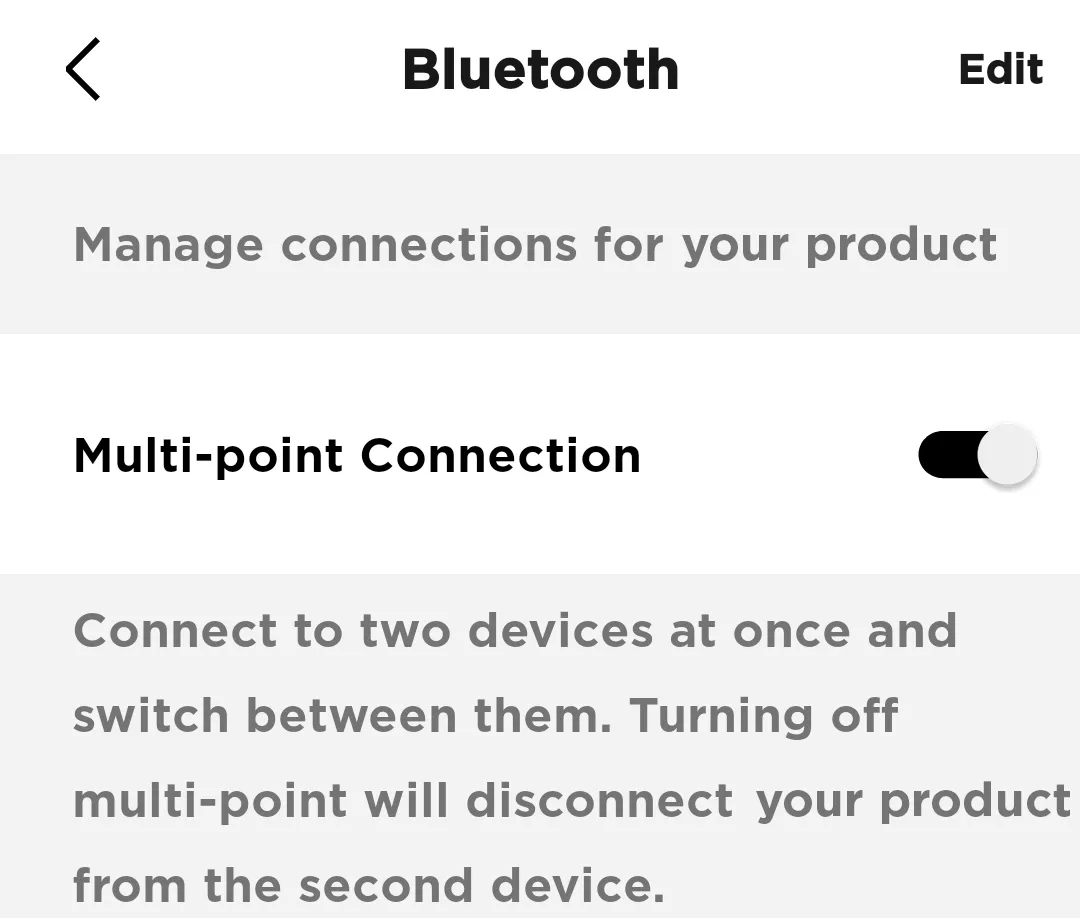
Note: You will only be able to connect to one device at a time. If you want to connect to two devices simultaneously, toggle Multi-point connection back to 'on'
In the Bose app, go to Settings>Bluetooth Connections and toggle Multi-point connection to 'off'. This will disconnect your secondary device.
Note: You will only be able to connect to one device at a time. If you want to connect to two devices simultaneously, toggle Multi-point connection back to 'on'
Questo articolo è stato utile?
Grazie per il feedback.