

Back to article
3348
Attivazione o disattivazione dei messaggi vocali
Il sistema emette messaggi vocali che il sistema annuncia (ad es stato della batteria e richieste di connessione) possono essere attivate o disattivate, a seconda delle preferenze.
Enabling or disabling voice prompts | Bose QuietComfort Ultra Headphones (2nd Gen)
To enable, disable or change the language of voice prompts:
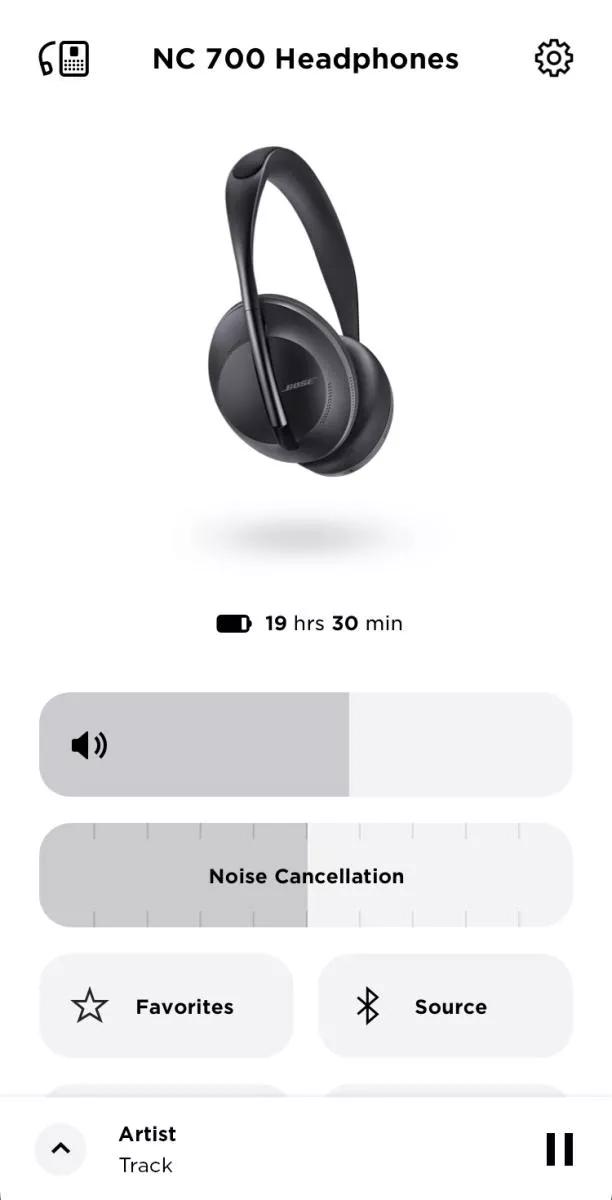
- In the Bose Music app, tap the Settings icon
in the upper-right corner.
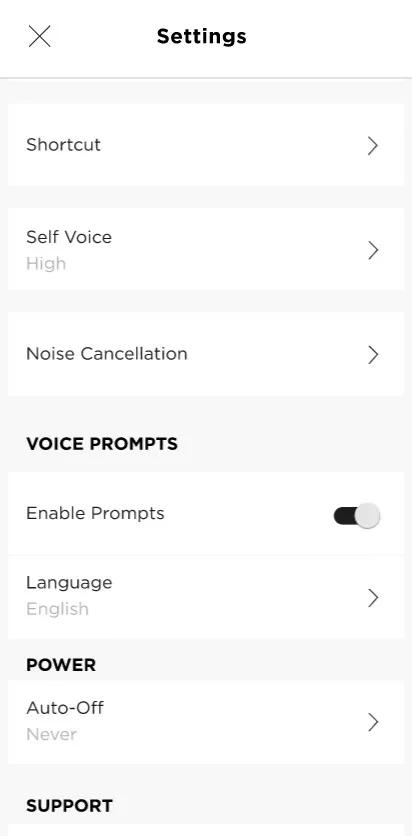
- Under VOICE PROMPTS, toggle the switch next to Enable Prompts to turn on or off
- Select Language to choose your language
Questo articolo è stato utile?
Grazie per il feedback.